

On Linux, Android may run in a container, a development virtual device, or a remote cloud session. Those approaches solve different problems; the right one depends on desktop session, app requirements, and whether you need games or developer tools. Waydroid is a Linux-integrated Android environment for compatible setups. Android Studio Emulator is better for app development and testing. Neither should be described as a universal gaming emulator.
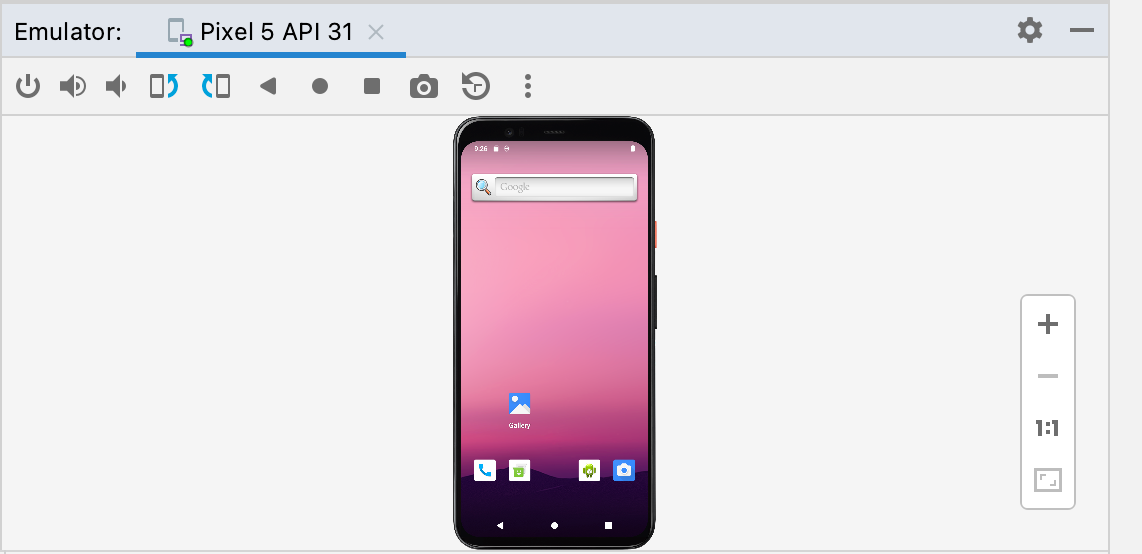
Waydroid and Android Studio are not the same kind of tool
Waydroid runs Android in a container and shares parts of the Linux host environment; its setup depends on the Linux distribution and desktop configuration. Android Studio runs configurable Android Virtual Devices with selectable system images. A cloud session can be useful when you cannot install either locally, but it adds network and service limitations.
Options by task
| Option | Good fit when | Keep in mind |
|---|---|---|
| Waydroid | Android apps integrated with a compatible Linux desktop | Setup depends on distribution, session, and Google services. |
| Android Studio Emulator | Developer testing across device profiles and API levels | Resource-intensive compared with lightweight app use. |
| Cloud device service | Remote app checks without local setup | Network latency and device/service limits apply. |
A practical setup check
- Check the Waydroid installation guide for your distribution and session type before changing system packages.
- For Android Studio, confirm the host meets its recommended memory and acceleration requirements.
- Check Google Play certification and the exact app’s compatibility rather than assuming a Play Store or game will work in Waydroid.
Common questions
Is Waydroid a conventional virtual machine?
No. It uses Linux container technology to run an Android system alongside the host.
Can I use Waydroid for every Android game?
No. Compatibility, graphics, Google services, and anti-cheat differ by title and host setup.
Sources for this guide
I used the product or platform documentation below for compatibility and policy details. Check the linked source before making a setup decision, since support can change.
- Waydroid desktop installation instructions
- Waydroid and Google Play certification
- Android Studio Emulator system requirements
Related guides: Start with the full Android emulator overview, then compare The macOS choices and Browser and cloud Android testing.