
Recording a meeting or lecture should be simple: press a button, capture the conversation and return to the audio whenever you need it. Google wants to bring that convenience directly into Gemini Notebook, allowing users to record audio and turn it into a searchable source for their notes. There is just one problem: a feature designed to make note-taking easier currently comes with limitations that could leave users reaching for a separate recording app.
Google has begun rolling out a voice recorder in Gemini Notebook for both Android and iOS. The feature allows users to capture audio directly within a notebook, automatically upload the recording and generate a transcript along with an overview of its contents. For students, professionals and anyone managing multiple projects, the idea is appealing. Instead of recording a conversation in one app and manually moving its contents elsewhere, users can bring audio directly into the workspace where they organize their information.
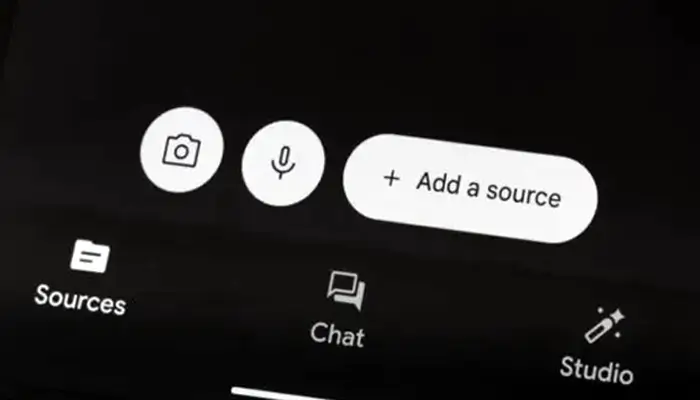
Accessing the feature is straightforward. Users can tap the microphone icon in the Sources tab of an existing notebook or on the Gemini Notebook homepage. Starting a recording from the homepage creates a new notebook, giving the audio a dedicated place within the user’s collection of sources.
Once recording ends, the audio is uploaded to Google’s servers, and a transcript appears shortly afterward. The resulting material can then become part of a notebook alongside other information, potentially making it easier to revisit important discussions, lectures or project updates.
Yet Google’s established Pixel Recorder app demonstrates why the new feature still has considerable ground to cover.
The biggest drawback is its dependence on an internet connection. Gemini Notebook can capture audio while a device is offline, but the recording may remain stuck in an uploading state. Users cannot access the audio or its transcript within the app until the upload finishes. Pixel Recorder, by comparison, supports offline transcription and allows users to play recordings immediately after capturing them.
File management introduces another concern. Some recordings appear to remain stuck in an uploading state when users attempt to delete them. Audio files can also remain accessible in the device’s local Recordings/Notebook folder even after the corresponding notebook is deleted from the app. This creates uncertainty about whether removing a notebook also removes its associated audio files.
There is also a recording limit of one hour. It remains unclear whether this restriction is tied to a subscription allowance or a technical constraint, but it could make the feature less suitable for lengthy lectures, interviews and extended meetings.
These shortcomings do not erase the feature’s potential. Integrating audio capture with Gemini Notebook could eventually offer a more convenient way to organize conversations, transcripts and supporting research in one place. Google’s recent efforts to connect Notebooks with its Gemini chatbot could further strengthen that workflow.
For now, however, the experience feels unfinished. Users who need reliable offline recording, immediate playback and flexible file management are better served by Pixel Recorder or a comparable dedicated app. If Google addresses these limitations, Gemini Notebook’s recorder could become a genuinely useful productivity tool. Until then, its biggest promise remains just that: a promising idea waiting for a more polished execution.