Tag: Best Android Emulator

Recommendations and setup guides for Android emulators. Choose by operating system and intended use, then confirm current app compatibility, system requirements and official downloads.

  • Xamarin

    Xamarin

    Xamarin-Logo-Android-Emulator-Goongloo-banner

    Xamarin Android Emulator is a freeware application that was created for Xamarin under Windows and filed under programming software. Though not a perfect candidate for gaming, It is still among the best Android emulators that work on desktop.

    The Xamarin Android Player review has not yet been completed but a feature list and a PC editor have tested it, see below. We welcome your input and encourage you to submit something to us if you want to review this software download.

    Xamarin is a tool for development across platforms. You can use C# for iOS, Android, and Universal Windows applications with Xamarin. And with Xamarin Forms, it is possible to design interfaces within their XAML-based framework for all three platforms. Xamarin is constructed on the.NET Framework. It enables you to build apps that run easily on multiple platforms. We’ll explain how to use Xamarin to offer native iOS, Android, and Windows applications in this tutorial.

    Benefits

    Dark theme: Ensure consistent user experience by adding a dark theme throughout the whole system.

    Support gestural browsing in your application by taking steps to ensure that your personalized actions are complementary to system navigation actions.

    Optimize for foldable: Provide seamless, bottom-to-back experiences on modern innovative devices with foldable optimization.

    Better biometric, move to BiometricPrompt, the preferred way to support authentic fingerprints on modern devices if you use bio-metering.

    Enriched capture: Enable audio playback capture to support captioning or gameplay recording. This is a great way to reach more users and make your application easier to access

    Recommended Specifications

    • Intel CPU.
    • Free space of 8 GB
    • 64 GB random access memory

    Final thoughts

    Surely Xamarin’s good, but not good. It depends entirely on your requirements. Xamarin is your best bet since you know C# if you just wish to play with your apps and don’t want to get a taste of what Android apps are. The way Android and new libraries work always supports the development of native countries.

    Xamarin is open-source, learning-free, supports Microsoft and Xamarin, and is the best cross-platform desktop and mobile app tool. Learn and understand the foundations and architecture of Xamarin Forms. Construct XAML and system user interfaces.

  • ARC Welder

    ARC Welder

    Arc-Welder-for-Google-Chrome-Goongloo-banner

    You can run all types of Android applications on Google Chrome easily and instantaneously with the ARC Welder app. ARC Welder is a shortcut for Chrome’s App Runtime. You can use your smartphone functions on a PC without much hassle by using this easy-to-use Android emulator. As the app has a steep learning curve, IT professionals and experienced users are mainly in favor of Android bench testing applications.

    You must load the APK file and set up your device of choice by downloading ARC Welder. It helps you avoid the tedious testing of small-screen applications or games. It is the fully automated system and intuitive interface that is the best way to use the program.

    Benefits

    ARC Welder for Chrome is designed to give you a full experience in Android. This app conserves your Android smartphone to its prominent features, making it much easier to use intuitive menus, a simple interface, virtual buttons, and refined animations. Simply put, you can try all the features of an Android app without accessing a smartphone on your Microsoft Windows PC.

    ARC Welder’s main purpose is to provide you with an extensive Android port. Because of the multi-tasking, web browsing, intuitive interface, and easy access capabilities, this is a Windows-packed best Android emulator.

    To make sure you are similar to an Android Smartphone, you can also customize inputs with the ARC Welder.

    Recommended Specifications

    • Intel CPU.
    • Free space of 4 GB
    • 6 GB random access memory

    Final thoughts

    ARC Welder is a tool that unites your desktop computer and Android to open several doors. It helps you run Google-based applications using the convenient, integrated navigator system.

    While ARC Welder is unable to support new applications, a download is still worth it. This program features a wide range of features, which allow you to experience Android on your laptop right away. As such, the software facilitates the management of various aspects of app development.

  • ARChon for Chrome

    ARChon for Chrome

    Archon-for-Chrome-Logo-Android-Emulator-Goongloo-banner

    ARChon Android Emulator is the first Google Chrome emulator that works. That is quite different from what we’ve reviewed in other best Android emulators. It is available across multiple platforms on Chrome, including Windows, Linux, MAC OS. App developers may attempt to test their application before it is shipped. Gamers might want to use their games with a mouse and a keyboard. It’s also functioning on Chrome OS and Chromebooks. It runs Chrome’s Android APKs! It supports several games and applications, although not all.

    Benefits

    ARC is currently only officially designed for Chrome OS. To do this, it created the ARChon Custom Runtime, allowing not only the operation of Android apps for Windows, OS X and Linux, but also remove the limit on how many applications can be run. It’s very light because it has Google Chrome integrated. It is suitable for all systems of operation. The latest Android system is supported.

    In most cases, however, the use of the emulator is not quick, as one of the Android telephones appears. As a result, games and other android programming are hard to appreciate due to the speed. However, Archon can provide customers with a quick experience for pc.

    Though nothing more than an Android smartphone, almost every application in the play shop can be enjoyed. However, not all the Android apps available on the play shop are running on the emulator.

    Recommended Specifications

    • Intel CPU.
    • Free space of 6 GB
    • 6 GB random access memory

    Final thoughts

    An emulator known for its flexibility, ARChon Android is known for its flexibility. It’s the first Android emulator to work in Google’s Chrome browser. This is different from the one used to play games by another Android emulator. It works on chrome books as well. It works very well on the desktop for Android gaming. The mobile applications operate robust and efficient. To run this emulator on your system, users need a chrome extension.

  • Jar of Beans

    Jar of Beans

    Jar-of-Beans-Logo-Android-Emulator-Goongloo-banner

    As far as availability is concerned, several Android emulators are free to download. As part of its Android SDK, Google provides one. It is possible to run the Android apps and games on Windows PC or Mac in a freely available software package. While using this software, XDA Forum Members disliked the software and decided to build their Android emulator. And so was born Jar of Beans.

    Jar of Beans runs Android Jelly Bean, as the name implies (using 4.1.1 at present). It supports the Intel Hardware Accelerated Execution Manager (HAXM) which enables the emulator to increase its overall performance with hardware acceleration. Jar of Beans has one advantage over other emulators, which is entirely portable and does not require installation. Running a file is as easy as running it.

    Benefits

    One of the advantages of using Android is that emulators can be used on our PC to run apps on our computer. Between them, this Jar of Beans is to be pointed out.

    Nevertheless, JoB offers the main advantage of being able to use it as a portable version, so we can take it on a USB stick and run it on any computer without any download and download permissions from the administration.

    Anyway, it is an emulator classically running with a screen resolution of 1280×768 by default. One of the positive aspects is that a powerful computer is not needed to run it, because we need only 1 GB of RAM.

    Therefore, Jar of Beans is an excellent option when searching for a portable emulator that you can use to open the most available APKs to download on the internet (many still run on Android 4.1).

    Recommended Specifications

    • Intel CPU.
    • Free space of 6 GB
    • 4 GB random access memory

    Final thoughts

    several handy features have been added to the latest beta version. A multi-user support was provided to save individual custom settings for each user. You also can create a virtual SD card to create SD card of all sizes you want that is naturally seen as a standard SD card in the emulator.

    For upcoming versions, several features are planned. Unrealmanu hopes to provide full-text entry from the computer keyboard with keyboard support. The to-do list also includes a selection of skins and additional resolutions.

  • AMIDuOS PRO

    AMIDuOS PRO

    AMIDuOS-Logo-Android-Emulator-Goongloo-banner

    AMIDuOS PRO is a new, revolutionary concept that provides Microsoft® Windows devices with the functionality, depth, and fun of the Android experience. The device can be switched between Windows 7, 8, 10, and 10 PC and tablet devices quickly and easily – without having to dual boot!. This is one of the few emulators on the list with active compatibility updates.

    The software is nothing short of Android’s full experience, with all the features the latest mobile version has to offer. It works fast, looks narrow and sharp, and does without any limits – because it is 100% native Android on your Windows hardware!

    Benefits

    It can run almost all Android apps on the Android app markets. It comes with an Amazon Appstore pre-loaded to get you started. To create a unique AMIDuOS, simply add the AMIDuOS package installer to your favorite Android app markets. The app is also compatible with ARM v7, allowing it to also run the most popular ARM applications. It is one of the best Android emulators with a lot of quality functions in it.

    The AMIDu OS also supports the sharing of files between Windows and Android, so you can easily share photos, videos, and music across the operating modes. It also supports SD card emulation and lets you set up a simple tool for the SD card size.

    Recommended Specifications

    • Intel CPU.
    • Free space of 4 GB
    • 4 GB random access memory

    Final thoughts

    AMIDuOS has been developed in the United States as an American Android Emulator. The integration of an Android device with a system is smooth. It comes with a complete screen system so that the user can’t identify any difference between using a mobile and system Android if a user runs any game/application in a given regime. This enables the user to smoothly share any data between the mobile device and the computer.

  • Windroy

    Windroy

    Windroy-Logo-Android-Emulator-Goongloo-banner

    Windroy Android Emulator is a Windows platform emulator for Android. The app was designed to provide the user with a complete Android experience. There are plenty of valid reasons why someone wants to run Android emulators on your computer.

    Windroy is doing a good job of retaining Android platform characteristics. The primary lock screen starts when the app is first running, and then the standard interface is passed over.

    The animations were improved and virtual buttons were provided. Both full-screen and window mode and various user interface resolutions are available.

    Benefits

    It is a tool that allows users to run Android apps, android emulation, on their computer, Windroy Windows Android stands. You probably aren’t unfamiliar with Windroy already using BlueStacks, because it will bring a very similar experience. The analog said Windroy is working on the kernel of Windows instead of using VirtualBox virtual machines like some other things. So its activity, like Genymotion or Android X86, is minimal and not burdening.

    You can control the app with the mouse or the keyboard. Windroy also uses the power of the system and is fully integrated with other Windows applications, such as Flash. Windroy also supports PPPoE and Ethernet to enable you within the Android emulator to access the internet. Windroy is a good app for developers who need apps and users to see how Android works

    Recommended Specifications

    • Intel CPU.
    • Free space of 4 GB
    • 128 GB random access memory

    For creators or professional computer users, Windroy is a great choice. It starts fast and without much trouble and is easy to use once it runs. It isn’t difficult to use and works very intuitively for those with computer experience. It should be seen more like a sandbox area to test things instead of a daily-use phone replacement.

    Final thoughts

    For the Windows platform, Windroy is an Android emulator. The app was designed to provide the user with a complete Android experience. As Windroy provides an accurate copy of the Android platform, you can use it to test the operating system functionality of your Windows PC.

  • Best Android Emulators for Windows

    This page is dedicated to enlist the best Android emulators for Microsoft Windows only. All experts agree that Windows is the best operating system for gamers and a clear winner in gaming industry.

    Unlike other mixed lists, here you will see only Windows based best emulators for playing Android games on PC or laptop running Windows OS.

    Windroy

    Windroy is an Android emulator in the world of windows. The application has been intended to bring to the table the user a full Android experience. Windroy is the only emulator which does the great job at keeping the characteristics of the Android stage. When the application is first run you start with the primary lock screen, this will gives you the path to the standard interface.

    Windroy will support both types of mode screens- Full Screen and Windowed screen modes having various types of user interface.  This application can be controlled by mouse and keyboard as well. Windroy also supports Ethernet and PPPoE, so you guys can get to the Internet inside the Android emulator.

    All in all, Windroy is a good app for developers who need to test apps and clients to see how Android functions and works. Since Windroy offers an Android stage, you can use it to test the functionality of the working framework onto your Windows PC.

    Features of Windroy

    While talking about the technical features of this app- Windroy has the following properties;

    • Fit for all types of windows including Window 98, Window 8, Window 10, Window XP, Window 2000, Window 2008, Window 2003.
    • Available in these languages- English, French, Polish, Chinese, Italian, Japanese, German.
    • License Free

    How to Download Windroy Emulator?

    Although Windroy does exclude direct access to Google Play, you can introduce any application which you like by using its APK records. Also, it coordinates perfectly with Flash and Windows Media Player.

    The most interesting thing about this application is that it doesn’t exactly fill in as a test system, but rather it runs the operative system itself.

    It allows you to open all of your Android applications – including those in 3D so you can easily enjoy Android games on your PC.

    ARChon (Chrome browser extension based emulator)

    ARChon is the only first Android emulator that works on Google Chrome browser. This amazingly app uses on Chrome across different stages including Windows, Linux, mac OS. This app ARChon emulator works at Chrome OS and Chromebooks. It runs Android APKs on Chrome! It also supports various games and applications.

    Features of ARChon emulator

    Talking about the features of ARChon emulator- it includes the following properties;

    • This app is very convenient for all type of Operating Systems.
    • Also supports the latest version of system.
    • Requires Operating System with Windows 7 having 64- bit Operating System.
    • Can be used for Android games and applications.
    • An integrated user interface with Google Chrome.

    How to Download ARChon for Chrome Browser?

    Run your Google Chrome, go and download ARChon emulator. There you’ll see a big ZIP file. Make settings through Extension- there you will see a list of google extensions.

    Activate the developer mode by marking the small box on the right side of your window. After the activation mode of your Chrome emulator, now click on “load unpackaged extension”. From that window- Click on the folder which you have downloaded.

    All you need to choose APK files of application you want to run. Now you are free to transfer these files from your devices and you are also able to run this application from various websites.

    ARChon is 100% free and accessible for download on any device or PC that can run the ever-developing Chrome Brower application that controls the web browsing for all type of clients online from all around the world.

    Android Studio

    Android Emulator generates Android devices on your PC so you can test your application on a variety of devices and Android API levels without expecting to have each physical device.

    The emulator gives you the capabilities of a real Android device. You can determine the area of the device, reproduce diverse organization speeds, re- create rotations and other equipment sensors having access the Google Play Store and App store. 

    The emulator accompanies predefined configurations for different Android phone, tablet, Wear OS, and Android TV devices.

    You can use the emulator manually through its graphical User Interface and automatically through the command line and the emulator support.

    Android Studio has requirements

    • 64- bit processor
    • CPU and UG supports on windows
    • SDK tools with 26.1.1
    • AMD processors on Linux and Windows
    • HAXM 6.2.1 recommended

    Android Emulator is included with Android Studio. We recommend you to use emulator that comes with Android Studio.

    How to Download Android Studio?

    • Go on google and download Android Studio.
    • After downloaded the Android Studio- go to the Preferences- make settings à Android SDK.
    • Click on SDK tool and make sure that you are downloading the latest version of “Android SDK”.

    Well Android Studio emulator comes with all the comfort tools through which the users can easily avail it. You all need to balance the regular updates and some supports that comes with Android Studio emulator for all type of devices.

    BlueStacks

    In the list of best android Studio emulators- BlueStacks is one of the best emulator among all.

    BlueStacks launched as one of the first option to play Android applications and games on a Windows PC.

    The BlueStacks screen looks a lot of normal Android devices, so it should be easy to use for a user- friendly users.

    Jar of Beans

    Jar of Beans is an Android Emulator .An Android emulator is clearly a significant tool for application developers, allowing the testing of programming to be managed without the need of a physical device.

    Jar of beans is the only emulator for anyone to access an application before introducing it with their device, whether or not it be for security reasons or in case they just don’t have their device that seems to be that point.

    Jar of Beans runs Android Jelly Bean. It supports Intel Hardware Accelerated Execution Manager (HAXM), which gives the device speeding to the emulator to improve by and large execution.

    Jar of Beans features

    • Supports Intel Hardware Accelerated Execution Manager (HAXM)
    • Totally portable Android emulator
    • User- friendly as easy to use
    • All you need up to 1GB Free Disk Space
    • OpenGL ES 2.0 Graphic card

    How to download Jar of Beans?

    Jar of Beans is available on Google Play Store for you to download applications, games in Google’s application store.

    Install APK allows you to introduce the .apk file which is stored on your PC so you can experience the application isn’t in Google Play.

    An ADB interface is available to help associate directly with the Android framework is recreated. This Jar of Beans App installation file is not hosted on Server.

    Whenever you click the “Download” connect on this website page, file will downloading directly from the owner sources Official Site. Jar of Beans is definitely a windows application that made by Jar of Beans Inc.

    Xamarin

    Xamarin Android Player which gives you the chance of running, testing, troubleshooting or debugging Android applications in an agreeable situation that runs on Windows. In simple terms, you can mess with a virtual Android telephone on your PC. It supports a few virtual telephone models, with various Android version.

    The software is free and it is accessible for Windows and Mac OS X. Installing it might require some investment of time or money because the setup wizard will also introduce Orcale’s Virtual Box on your PC, which is a necessary requirement. The equipment requirement should not be a test for any cutting edge PC.

    Xamarin Android Player has deep mix with Visual Studio and Xamarin Studio and a local UI on both Mac and Windows. Running Android on x86 virtual machine using hardware accelerated virtualization and OpenGL, Xamarin Android Player is significantly quicker than the stock Android Emulator.

    Xamarin Android Player runs with Visual Studio, Xamarin Studio and some other application compatible with ADB.

    How to Install Xamarin?

    Xamarin Android player depends on Virtualization and OpenGL. This means that this Android player cannot work on Remote Desktop or Virtual machines.

    Xamarin requires Virtual Box 4.3.18 for Windows 7, Windows 8 and Windows 8.1 and Windows 10.

    Hence the Xamarin emulator will install automatically and updated with its latest version.

    Related Android emulator reading

    To compare this option with other desktop players, visit the main Android emulator roundup.

    Related: Windows emulator guide.

  • Best Android Emulators (PC, Mac & Online)

    Android emulator is an easy virtual interface display. It’s an AVD that’s a virtual Android device that lets us test the software we’re developing. The program helps to mimic a computer or a guest device in principle. It is software.

    In particular, the creation of android applications involves an android emulator. Developers use emulators to check the performance of their applications. Like the actual Android, Android emulators function. That is why developers need it and it is possible to launch the app they have developed. To simplify tracking, you won’t have to upgrade the program to a real machine.

    There is no lack of emulators available today when you are looking to run Android on your Windows PC. For those who ask why you would want to use an Android emulator on your Windows PC there are various explanations. For example, Android developers can debug applications, Android games can be played on a larger screen, and the list goes on.

    That said, Android emulators have a problem that many of them do not function the way they are advertised. I then tried to show you 6 of Windows’ best Android emulators in 2021 with more than a dozen emulators.

    The Android Emulator enables you to use Android OS on a Windows PC, alongside your keyboard and mouse – from developers testing Games to players playing on a big screen – meaning you can try it even more quickly and easily. There are also iOS emulators available for PC and Mac but Android emulators are more efficient.

    Perhaps you swap between iPhone and Android or just want to try a custom ROM, there are never-ending possibilities with Android Emulator. Although the number of PC telephone emulators has always reached BlueStacks, few others are catching up crazily quickly. So, if you’re looking to find the right emulator for Android, review this list of your Windows 10 PC’s top Android emulators.

    You can install a virtual ‘phone’ on your PC or Mac using an Android emulator and run smartphone applications on your laptop. You will want to do this for several reasons. Testing applications on a laptop is always simpler than a handheld computer because you can emulate several different handset and screen size configurations with an Android emulator to help you see what the software does on each one.

    Gaming is also a popular cause for Android emulation on a laptop, and you can use it to run desktop-unsurveyed applications. The Instagram software is running in an emulator, for example, enabling images to be uploaded in your PC or Mac machine, which is otherwise difficult.

    Though business applications for Android may also be available, all of these are SaaS-based cloud applications, which can be accessed through your browser on your desktop PC anyway, while games normally are not. Below is a selected list of Android’s top emulators with common website links and features. The list includes both proprietary (paid) applications and open access (free).

    How Do Android Emulators Work?

    Emulators for Android are based on the concept of full device virtualization, which includes both hardware and software. The AVD manager assists users with setting up and configuring simulated Android smartphones. It checks the parameters and has details on the computer type, machine image, or Application Binary Interface (ABI).

    The Android Emulator is notorious for imitating the hardware of the computer. It then aids in the translation of the ABI to fit the host computer. The customer then connects it with the operating system and runs it on their machines as a program or application.

    Since CPU configuration conversion can be difficult and slow in some situations, it is preferable to have the same guest and host CPU configurations.

    Emulators for Android are becoming more common as a decent solution for people who don’t have high-end Android devices with a good setup. They also allow PC users to access all smartphone apps. Users will play several games at once and still get decent results.

    5 Reasons to use Android Emulators:

    Following are the five reasons to use Andriod Emulators. These are,

    Use Android apps on your desktop:

    The Play Store has a lot of taxing games that your handset may not be able to accommodate. You won’t have to think about that if you use an Android emulator. Although some of these emulators are designed mostly for players, others are designed specifically for developers. Android Studio and other emulators offer a variety of resources to assist you in developing and testing games before launching them on the Google Play Store.

    Larger display and better controls:

    It’s much easier to have a bigger panel that can suit your preferences when it comes to games. A larger screen helps you to enjoy the graphics better and see little images that your handset cannot. It is easier to work and play when you use a keyboard and mouse.

    For a simpler and improved gameplay experience, certain app players do have built-in keyboard hotkeys and mouse support for the PC. Even better, if you choose to play with a gamepad or joystick, some of these emulators, such as Nox Player or BlueStacks, allow you to do so.

    No more limited battery life:

    Unlike a handheld screen, a laptop machine allows you to play for as long as you can. Using Android emulators on your laptop allows you to bypass the battery limits of your handset in return for portability.

    Use more apps simultaneously:

    Yes, your phone will multitask and run applications in the background, but you won’t be able to use them all at once. Android emulators such as Nox and MEmu allow you to run several apps simultaneously on your PC as long as your computer has enough computing power.

    MeMu allows you to run several applications at the same time. Play your favorite mobile game while concurrently streaming a video and chatting with a friend. Alternatively, you should run multiple instances of an app and access it for multiple accounts at once.

    Desktops have more power and storage than your smartphone:

    On GameLoop, you will play Call of Duty Mobile. You can use an Android emulator to run resource-intensive applications and games on your phone. Now you can relax and enjoy your games and media, or concentrate on your job without experiencing lags or crashes.

    Besides, computers have more storage space than smartphones. Instead of removing applications and games to make room on your device, you can save them to your computer.

    Top Android Emulator for Windows PC, Mac and Online

    Following are the top Andriod Emulators. These are,

    1. LDPlayer

    LDPlayer has an ideal emulation environment for Android. It features several robust features to satisfy all that every Android smartphone carries out.

    Features

    • The LD Store or Google Play allows downloading Android Games and applications.
    • It allows you to automatically control your gaming.
    • Provides personalized keyboard and mouse control.
    • It enables many games to be opened at the same time.
    • Windows PC: Supporting platform.

    2. Bluestacks

    Features

    • You can play many games at the same time.
    • Record and repeat in real-time every event.
    • It enables you to film video and screen.
    • Microsoft Windows and Apple macOS are supported on the platform.

    3. GameLoop

    GameLoop is a game platform simulator for Android. You can also play games on your laptop. It is an ideal simulator. The simulator GamLoop contains some famous games such as Mobile and PUBG Motive, Call to Duty.

    Features

    • It supports mobile PUBG and makes mobile PC players.
    • This Android Emulator for Mac provides PUBG games on PC buttons.
    • PUBG smartphone control overlay can be customized by users.
    • There’s no need to register this Emulator for some kind of account formation.
    • This simulator runs in a programming tool with a low setup.
    • Windows, Mac commitment platform.

    4. NoxPlayer

    Nox Player is another Android emulator known worldwide among gaming enthusiasts. This emulator can be run on different devices that allow several functions to be used.

    Features

    • This is one of the best PC emulators with free, single-click-only mapping of the keyboard, all mouse and keyboard game functions.
    • A default macro recorder for recording complex operations is provided for the Nox replayer.
    • It provides a superior user interface and efficiency.
    • Windows, Mac support platform

    5. Memu

    The Android emulator’s application is simple to use. It’s one of the best Android PC emulators that support both Intel and AMD chips and built-in graphics.

    Features

    • Range of keyboard mapping options to improve your gaming experience.
    • Provide an option for virtualization.
    • It offers different keyboard settings for fast gaming.
    • Platform supported: Android and Windows Microsoft.

    6. AndY

    AndY is another common simulator for Android. The main barrier between mobile and desktop computing is overcome by holding the client up to date with the new Android updates.

    Features

    • It provides users with enough storage space as well as the ability to play any game found on the Android platform with ease.
    • It allows the user to use the handset as a controller, allowing them to stay immersed in multi-touch or fantastic game elements at all times.
    • AndY allows users to seamlessly switch between smartphone and desktop computers.
    • Users can import any software from any desktop browser to AndY OS using this Android Emulator for Mac.
    • Android, macOS, and Microsoft Windows have also supported platforms.

    7. Genymotion

    Genymotion is an Android emulator that supports a variety of platforms. You will use the app to speed up testing and post live demonstrations. You will also keep track of how well the computers are doing.

    Features

    • It has high-definition pixel compatibility, which means your PC can have more visibility.
    • It’s one of the best Android emulators for Linux, and it lets you test goods in a safe simulated world.
    • It helps you to capture screencasts using a laptop webcam as the video source.
    • This Ubuntu Android emulator will emulate over 3000 Android system settings, including Android edition and screen size.
    • This Android simulator for Mac is equipped with advanced sensors such as GPS and multi-touch.
    • Android, Mac OS, Microsoft Windows, and Linux have also supported platforms.

    8. PrimeOS

    The PrimeOS simulator offers a full desktop environment similar to Mac OS or Windows, as well as access to a wide range of Android applications. This Android Emulator aims to give you the best of all worlds by combining Android and PC functionality.

    Features

    • With a PrimeOS installer, you can enable dual booting with a single click.
    • It provides a perfect gaming experience by combining the Android environment with the device GUI.
    • As compared to the Windows budget scheme, it provides excellent results.
    • Android, Mac OS, and Microsoft Windows have also supported platforms.

    9. Android-x86

    Android X86 is a free and open-source operating system. The Apache Public License 2.0 is used to license this open-source Android emulator.

    Features

    • Provide a graphical user interface with WiFi support.
    • Suspend/resume power (S3 mode)
    • Provide a battery status report.
    • Support for the V4l2 camera.
    • It supports native resolution for netbooks.
    • Allows external displays to be used in mirror mode.
    • Support for automounting external storage.
    • External keyboards are supported.
    • Windows PC is the only platform that is supported.

    10. ARChon

    Google’s official App Runtime for Chrome kit is ArChone. Any Android app can be run as a ChromeOS app using this lightweight emulator.

    Features

    • ARChon is highly reliable and backed by Google’s confidence.
    • It differs from other emulators in that it supports the Chrome browser.
    • The ARChon runtime allows users to run an infinite amount of Android APKs built with Chrome.

    11. Ko Player

    Ko player is an Android emulator that allows users to enjoy high-quality Android gaming on their Windows or Mac computers. The key goal of this emulator is to provide users with a lag-free gaming experience.

    Features

    • It helps you to use all of Android’s features and functionality without having to own a smartphone.
    • The user interface of Ko player is quick, easy to use, and interactive.
    • The built-in video storage feature helps you to record and watch your favorite videos whenever you want.
    • You can also capture videos with this Android app emulator.
    • Improve your game results.
    • You have the option of recording and sharing your gameplay with your mates or someone else.
    • It has an integrated Google Play Store, allowing you to download whatever software you want.
    • Windows and Mac have supported platforms.

    12. Droid4x

    Droid4X is a well-known Android emulator for Windows PC that allows users to run smartphone apps and games directly on their laptops. It’s known for being a stable and dependable emulator that can run smoothly on the desktop with minimal device specifications, making it stand out from other Android emulators.

    It works for the majority of the games in the Google Play store. It helps you to capture the emulation screen for future use.

    Features

    • It enhances the PC user interface and allows you to work through platforms with a touch screen display.
    • This Emulator helps you to modify controls to meet your specific needs and download apps directly to the Emulator.
    • This Android emulator for Windows 10 includes keyboard and gamepad support for fast game tuning.
    • Windows PC is the only platform that is supported.

    13. ARC Welder

    Another Android simulator technology, ARC Welder, allows Android apps to run on Google Chrome for Windows systems.

    Features

    • It’s one of the best Android emulators for Windows, allowing you to try and run Android apps in Chrome OS while avoiding runtime errors and bugs.
    • Google Chrome is a web browser that can be used to monitor applications.
    • Windows PC is the only platform that is supported.

    14. Android Studio

    Users will get advanced performance and views of their smartphone apps in a structure that gives them more flexibility and a larger perspective. It supports high-definition games that use no device memory. With Google’s name on it, this simulator has a high level of trustworthiness.

    Features

    • Android Studio is a multi-functional emulator with a user-friendly graphical user interface and several useful features.
    • For an improved user experience, it helps the user to customize the emulation window theme.
    • It helps developers to use different apps at the same time and take screenshots when using the system’s applications.
    • This simulator, which is based on the Java programming language, has a high level of consistency and functionality.
    • Android, Microsoft Windows, and Apple Mac OS are all supported platforms.

    Related Android emulator reading

    To compare this option with other desktop players, visit the main Android emulator roundup.

    Related: Linux emulator guide.

  • Can You Play Call of Duty: Mobile on an Emulator?

    Can You Play Call of Duty: Mobile on an Emulator?

    There is a meaningful difference between an emulator that advertises Call of Duty: Mobile and support promised by the game publisher. Check both sources before installing or signing into an account. GameLoop lists Call of Duty: Mobile for PC, but Activision’s help center says the game does not officially support emulators. Do not treat the GameLoop listing as an Activision support guarantee; verify current policy and service behavior before proceeding.

    Archived GameLoop Android emulator interface
    Archived Goongloo screenshot of GameLoop; its interface may have changed. This image does not verify current game compatibility.
    A quick decision path
    STEP 1Publisher policy
    STEP 2Emulator listing
    STEP 3Account and update risk

    GameLoop’s listing and Activision’s policy

    GameLoop markets a PC route for the game. Activision’s own help answer says this version does not officially support emulator use. Because these statements come from different publishers, the cautious reading is that the emulator vendor offers a route but Activision does not promise emulator support. Updates or access can change, and neither matchmaking nor account outcomes should be guaranteed.

    Options by task

    OptionGood fit whenKeep in mind
    GameLoopIts own PC listing for Call of Duty: MobileActivision does not officially support emulator use.
    Other Android emulatorsOnly if the game publisher permits the setupCompatibility and account risk are not guaranteed.
    Supported mobile deviceThe game’s designed mobile routeMost direct way to avoid emulator uncertainty.

    A practical setup check

    • Read Activision’s current emulator answer before deciding whether to use an emulator.
    • If you choose to try GameLoop, download it only from the official GameLoop site and check for game updates there.
    • Do not bypass errors with modified APKs, third-party launchers, or advice that claims account safety is guaranteed.

    Common questions

    Is GameLoop officially supported by Activision?

    Activision’s help page says the game does not officially support emulators; GameLoop separately lists the game. Those claims should not be conflated.

    Can an emulator account be guaranteed safe?

    No guide can guarantee account or service outcomes. Follow Activision’s current rules and avoid modified clients.

    Sources for this guide

    I used the product or platform documentation below for compatibility and policy details. Check the linked source before making a setup decision, since support can change.

    For the wider view, see the main guide to emulator choices. This guide also connects to How to choose for Android gaming.

  • Best Emulator for Free Fire on PC

    Best Emulator for Free Fire on PC

    Free Fire players using a mouse and keyboard should account for how the game separates emulator matchmaking. The important question is not only which emulator installs the game, but whether you are comfortable playing in the emulator pool. Compare a current emulator that lists Free Fire, such as the options shown in the emulator’s official game catalog. Garena says emulator players are matched separately from mobile players; verify the current game and account rules before installing.

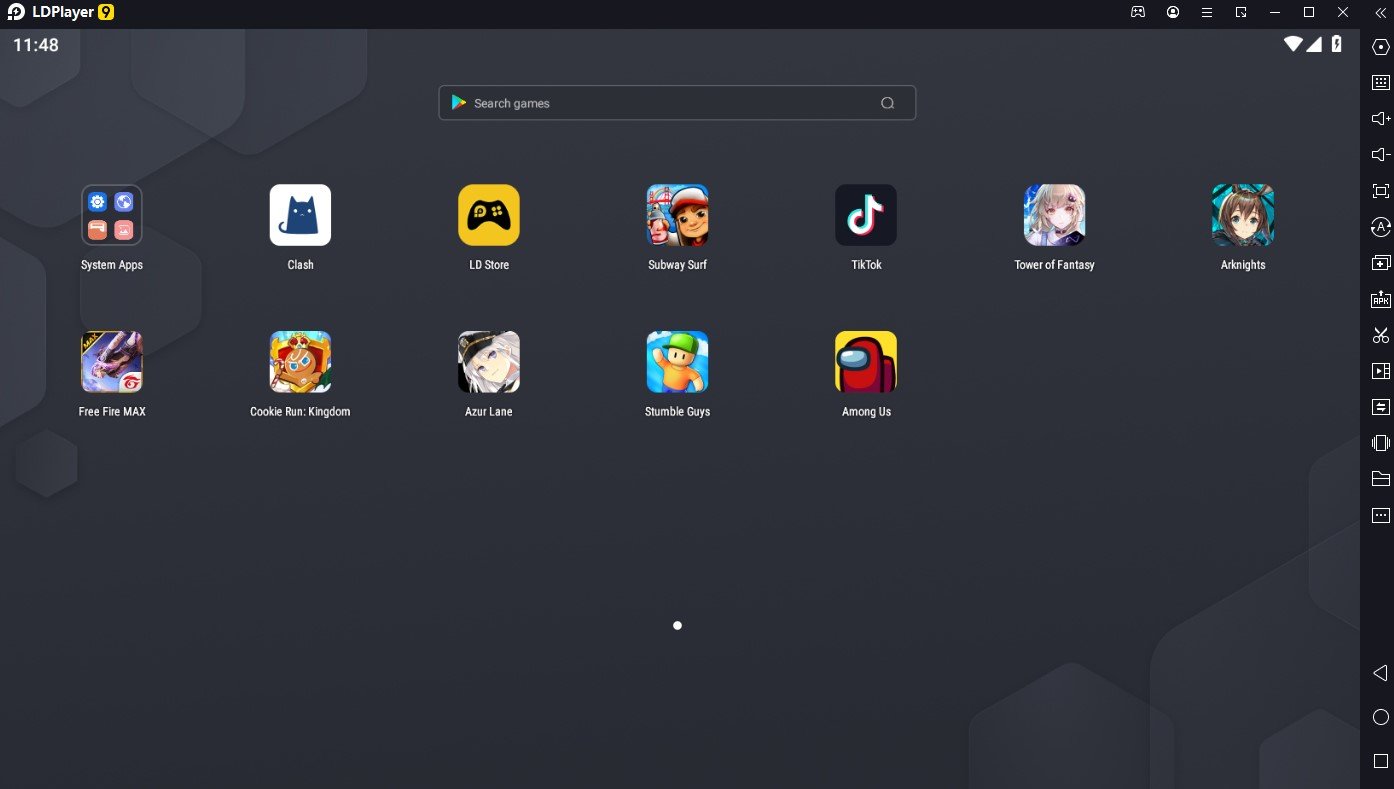
    LDPlayer Android emulator interface
    LDPlayer interface screenshot; availability and Free Fire controls may differ by release or region.
    A quick decision path
    STEP 1Confirm game listing
    STEP 2Review Garena policy
    STEP 3Configure controls

    Expect emulator matchmaking to differ

    Garena has described separate matchmaking for emulator and mobile players. That changes the experience: installing an emulator does not put you into the same pool as a phone-only lobby. Catalogs and compatibility may also vary by region and game build, so do not rely on old lists claiming a fixed “best” emulator.

    Options by task

    OptionGood fit whenKeep in mind
    BlueStacks 5General Android game setupCheck the current game catalog and keyboard profile.
    LDPlayerA gaming-oriented alternativeConfirm the game build is available and updates correctly.
    GameLoopOnly if its catalog currently offers the gameDo not assume availability is universal or permanent.

    A practical setup check

    • Check whether Free Fire is currently listed in the emulator’s official catalog in your region.
    • Use the standard game client from an official store or the emulator’s documented store integration.
    • Test keyboard mappings in a safe mode and avoid automation or modified clients.

    Common questions

    Are emulator players matched with mobile players?

    Garena has said emulator players are matched separately from mobile users. Check its current policy for any changes.

    Will every emulator update Free Fire at the same time?

    No. Update timing and availability can differ by emulator, region, and game release.

    Sources for this guide

    I used the product or platform documentation below for compatibility and policy details. Check the linked source before making a setup decision, since support can change.

    If you are weighing another setup, continue with Gaming emulator trade-offs or Setting keyboard controls. The the wider guide to playing Android games on PC puts the options in context.